What is Base64 Encoding?
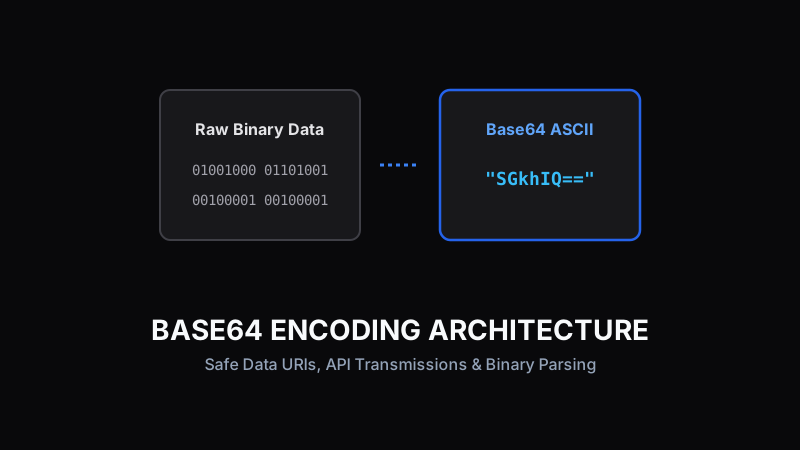
Base64 is a binary-to-text encoding scheme that translates raw binary byte data into an ASCII string format containing 64 safe printable characters (A-Z, a-z, 0-9, +, /). Base64 is not encryption—it is designed to safely transmit binary data across text-only protocols like HTTP headers, email attachments, and JSON bodies.
How Base64 Converts Binary Data to Text
Base64 takes sets of three 8-bit binary bytes (24 bits total) and redistributes them into four 6-bit index numbers. Each 6-bit number maps to an index in the standard Base64 character index table. If the input data is not divisible by three, padding characters ('=') are appended.
Original Text: "Hi"
Binary: 01001000 01101001
Base64 Output: "SGk="
Embedding Inline Images with Data URIs
By converting small icons or SVG images to Base64 strings, web developers can embed images directly inside HTML or CSS stylesheet files using Data URIs (`data:image/png;base64,...`). This eliminates separate HTTP round-trip image requests.
Pro Tip:
Data URIs are ideal for tiny UI icons under 2KB, but avoid using them for large hero images due to payload overhead.
Size Overhead and Performance Tradeoffs
Base64 encoding increases total data size by approximately 33% because 4 characters are used to represent every 3 bytes of raw data. While gzip/brotli server compression helps mitigate this, large Base64 strings increase browser RAM parse overhead.
Practical Developer Scenarios for Base64
Common real-world uses include passing binary encryption keys, embedding email signature images, serializing JWT token claims, and sending multipart form uploads through REST API endpoints.
Ready to test these tools right now?
ToolRays provides fast, free, privacy-focused browser tools. No sign-up required.