The Importance of Image Optimization
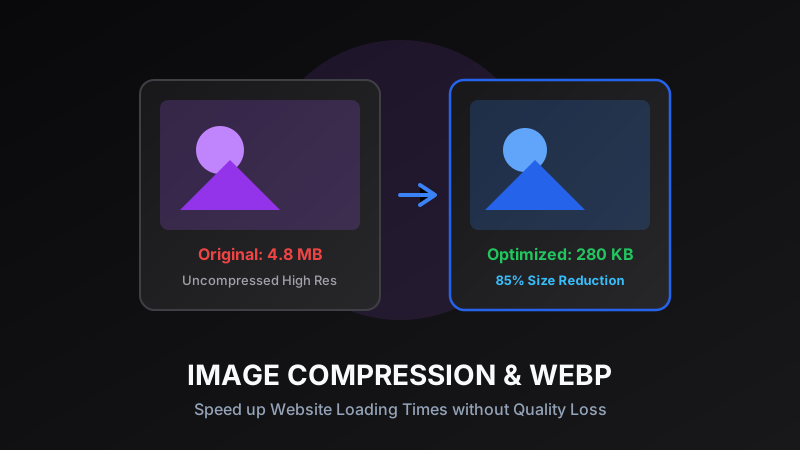
Images account for over 50% of the total page weight on average websites today. High-definition photos enhance visual appeal, but uncompressed assets drastically slow down website rendering, hurt Core Web Vitals performance scores, and increase bounce rates on mobile networks. Optimizing your visual assets is one of the most effective SEO improvements you can make.
Lossless vs. Lossy Compression
Understanding the difference between compression modes is essential for digital creators. Lossless compression removes redundant metadata while retaining every single pixel of original image data. Lossy compression cleverly removes visual detail imperceptible to the human eye, yielding significantly smaller file sizes with virtually identical visual fidelity.
Pro Tip:
Use lossless compression for logos, typography, and vector graphics; use lossy compression for blog hero photos and background images.
Choosing the Right Format: PNG, WebP, JPG
WebP has emerged as the modern gold standard format for web images, offering 25-35% better compression than standard JPEG at equivalent visual quality. PNG remains essential for images requiring alpha channel transparency, while JPEG continues to offer universal browser support for legacy applications.
Resizing Images for Responsive Web Design
Serving a 4000x3000 pixel camera upload inside a 300px mobile card display wastes precious bandwidth. Resizing image dimensions to match exact display container dimensions before uploading cuts megabytes of unnecessary data transfer instantly.
Fast Client-Side Compression Workflows
Using browser-native HTML5 Canvas tools allows you to compress, resize, and convert images instantly on your own machine. Web-based image processing operates at lightning speeds without needing bulky desktop photo editing software.
Ready to test these tools right now?
ToolRays provides fast, free, privacy-focused browser tools. No sign-up required.