Why Clean JSON Matters for APIs
JavaScript Object Notation (JSON) is the lingua franca of modern web architecture, REST APIs, and microservice communications. However, unformatted minified JSON responses containing hundreds of nested key-value pairs are impossible to inspect visually during active software debugging sessions.
Formatting & Pretty Printing Payload Data
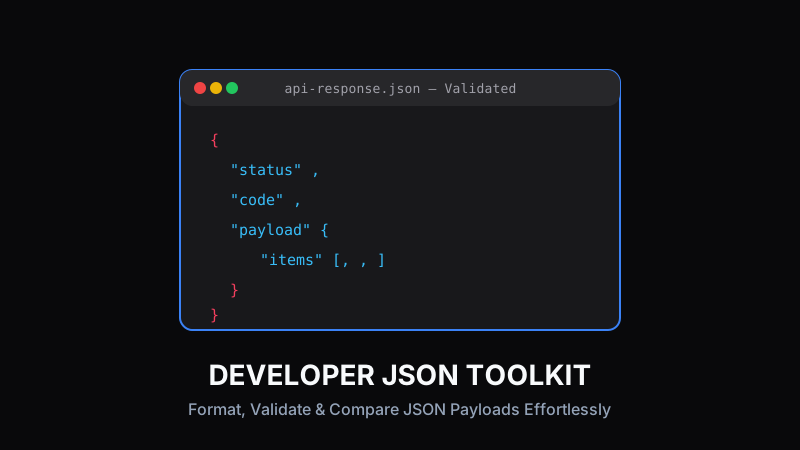
Pretty-printing transforms unreadable single-line JSON payloads into nicely indented visual trees. Clean indentation highlights missing arrays, structural hierarchy, and data types (booleans, strings, integers, null values) at a quick glance.
{
  "status": "success",
  "code": 200,
  "data": {
    "userId": "usr_991823",
    "roles": ["admin", "developer"]
  }
}Debugging Common JSON Syntax Errors
A single trailing comma or unquoted key can break entire API parse calls. Interactive JSON syntax validators pin point exact line and column numbers where syntax violations occur, saving developers from frustrating manual debugging sessions.
Pro Tip:
Watch out for single quotes or unescaped newline characters—standard JSON strictly requires double quotes for all keys and strings.
Comparing API Responses with JSON Diff
When refactoring backend API routes or upgrading third-party dependencies, comparing expected JSON outputs against actual test responses is crucial. Visual JSON diff tools highlight additions, deletions, and structural mutations side-by-side.
Best Practices for JSON Data Transfer
Always validate JSON schemas before sending network payloads. Minify payload bodies in production build releases to cut network bandwidth while keeping local development logs formatted and human-readable.
Ready to test these tools right now?
ToolRays provides fast, free, privacy-focused browser tools. No sign-up required.